

How Pain Tracker Pro Streamlines WorkSafeBC Claims: A Composite Case Study


Try Pain Tracker → Start Tracking (Free & Private)
This case study is a composite example based on common usage patterns of Pain Tracker Pro users preparing workers’ compensation documentation in British Columbia. It is illustrative, not a guarantee of outcomes. Individual results vary.
WorkSafeBC paperwork is hard enough when you’re injured.
The claim process often asks for consistent, specific documentation over weeks or months: pain intensity, functional limits, triggers, medications, and how symptoms change over time.
When that data lives in scattered notes, calendars, and memory, the result is predictable:
Missing days (especially on the hardest days)
Inconsistent detail
Hours of formatting and reformatting
Stress spikes from paperwork pressure
This post shows what “good” looks like when the burden is reduced—without sacrificing privacy.
The Challenge (Common Problems)
Typical documentation pain points we repeatedly hear:
Logs spread across notebooks, phone notes, and messages
Inconsistent tracking cadence
Difficulty showing patterns (work activities, routines, weather, sleep)
Hard to compile into a clean, chronological packet
Repeated requests to clarify or expand documentation
A realistic time cost (composite estimate): ~15–20 hours of compiling and formatting across a 2–3 month claim window.
The Solution: Pain Tracker Pro (Local-First Workflow)
Pain Tracker Pro is designed to keep health data on your device by default and to produce exportable reports when you decide to share.
Before
Track symptoms whenever you remember
Later: gather notes and reconstruct timelines
Reformat into something readable
Repeat as new requests come in
After
2-minute daily check-ins using a structured pain entry
Optional context tracking (e.g., activities, triggers)
Generate a WorkSafeBC-oriented report export
Review the PDF, share only what’s needed
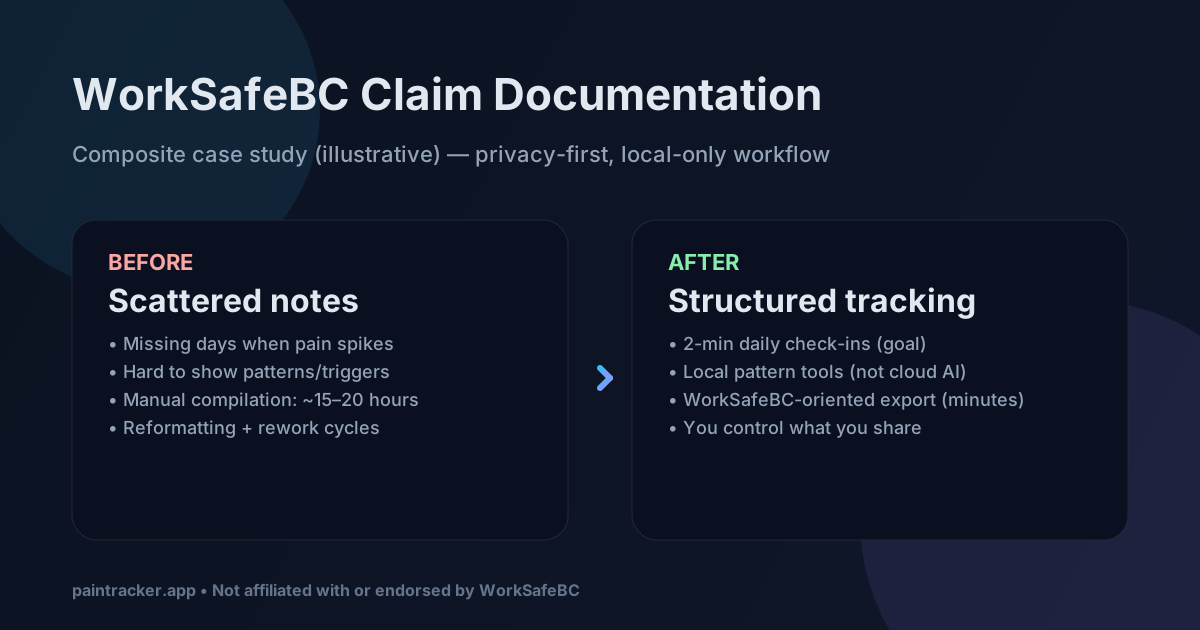
In a composite scenario, report generation can be minutes, with the remaining time spent on review and any additional context you choose to include.
Composite Results (Illustrative)
These are illustrative metrics that reflect the direction of improvement we see when people switch from ad-hoc notes to structured tracking:
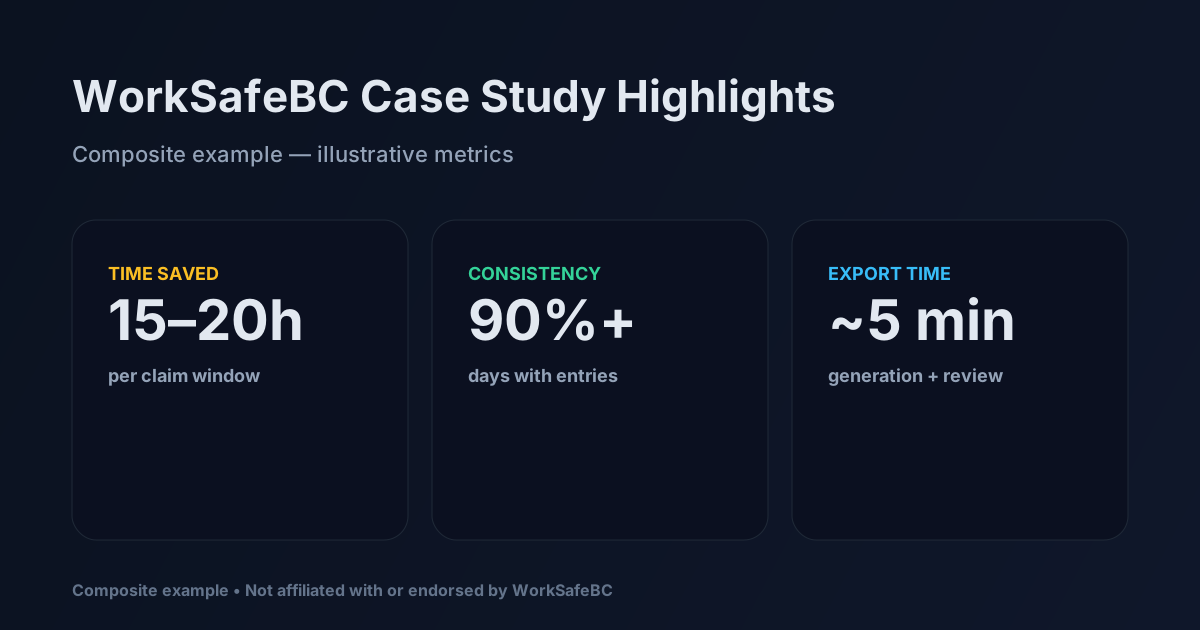
Tracking consistency: ~65% → ~90%+ of days with entries
Required fields: partial → more complete, because the entry is structured
Patterns/triggers: hard to argue → easier to explain with consistent timestamps
Packaging: manual → exportable (PDF/CSV/JSON)
What Makes the Difference
1) Structured data collection (without medical overreach)
Instead of:
“Back hurts today, 7/10.”
A structured entry captures enough detail to be useful without forcing clinical language:
Pain location(s): selected from a body map
Intensity: 0–10
Quality: selected descriptors (e.g., sharp / aching)
Triggers: selected or freeform (e.g., prolonged sitting)
Functional impact: what you couldn’t do today
Medications: optional, user-entered
Notes: optional, user-controlled
2) Local pattern tools (not cloud AI)
Pain Tracker Pro includes local, rule-based analytics to help you spot trends:
Time-of-day patterns
Recurring triggers
Correlations between tracked factors (where available)
These tools run locally and are intended to help you describe patterns, not to replace clinical advice.
3) WorkSafeBC-oriented export (you control scope)
The WorkSafeBC export is designed to produce a clean report packet:
Chronological pain log for a selected date range
Functional limitations summary
Medication tracking summary (if you tracked it)
Trend notes and patterns (where available)
You choose what timeframe to export and you can review the output before sharing.
4) Privacy-preserved evidence
Local-first design means:
No cloud copies by default
No third-party analytics for your pain data (optional anonymous usage analytics may be enabled by the deployment)
You control what you export and share
Before vs After (Illustrative)
Before (typical)
Handwritten / scattered notes:
- Mar 15: Back hurts, couldn’t work
- Mar 20: Still bad
- Mar 28: Doctor visit
- [Missing many days]
After (export packet)
Structured report export:
- Consistent date range with entries
- Clear timestamps and fields
- Functional impact captured over time
- Optional summaries and patterns
How to Use This Workflow (Practical Steps)
Week 1–2: Baseline
Start tracking daily (aim for “most days,” not perfection)
Record functional limits in plain language
Track relevant triggers (work activities, routines)
Week 3–12: Consistency
Keep entries short to reduce burnout
Focus on repeatable signals (same fields, same scale)
Update context when it changes (meds, work duties)
Claim documentation time: Export
Open Reports
Select your date range (often 60–90 days)
Generate WorkSafeBC export
Review for accuracy and remove anything you don’t want to share
FAQ
Is this accepted by WorkSafeBC?
Pain Tracker Pro generates documentation in a structured, chronological format that’s commonly requested for ongoing pain documentation.
We are not affiliated with, endorsed by, or connected to WorkSafeBC, and we can’t guarantee acceptance outcomes. Always follow guidance from your adjudicator and healthcare provider.
Can I use this for an existing claim?
Yes. You can start tracking now and export documentation for ongoing reporting needs. Historical reconstruction still requires manual entry.
What if I miss days?
The export includes whatever data exists in the selected date range. More consistency generally makes patterns clearer, but partial data can still help.
Getting Started
Visit https://paintracker.app (no signup required)
Complete your first entry (about 2 minutes)
When needed, export a WorkSafeBC-oriented PDF from Reports
Composite example based on aggregated usage patterns. Individual results vary. Pain Tracker Pro is not affiliated with, endorsed by, or connected to WorkSafeBC. This post is informational only and not medical or legal advice.
💬 Discussion
What health app has failed you in crisis? Share below.
🛠️ Contribute
See something to improve? Open an issue →


